Elevation to render: photoreal exteriors, in day, dusk and night.
Upload the elevation you’ve already drawn and get a photorealistic exterior render your client can believe in — then swap the same façade between bright daylight, golden dusk and lit-up night without redrawing a thing.
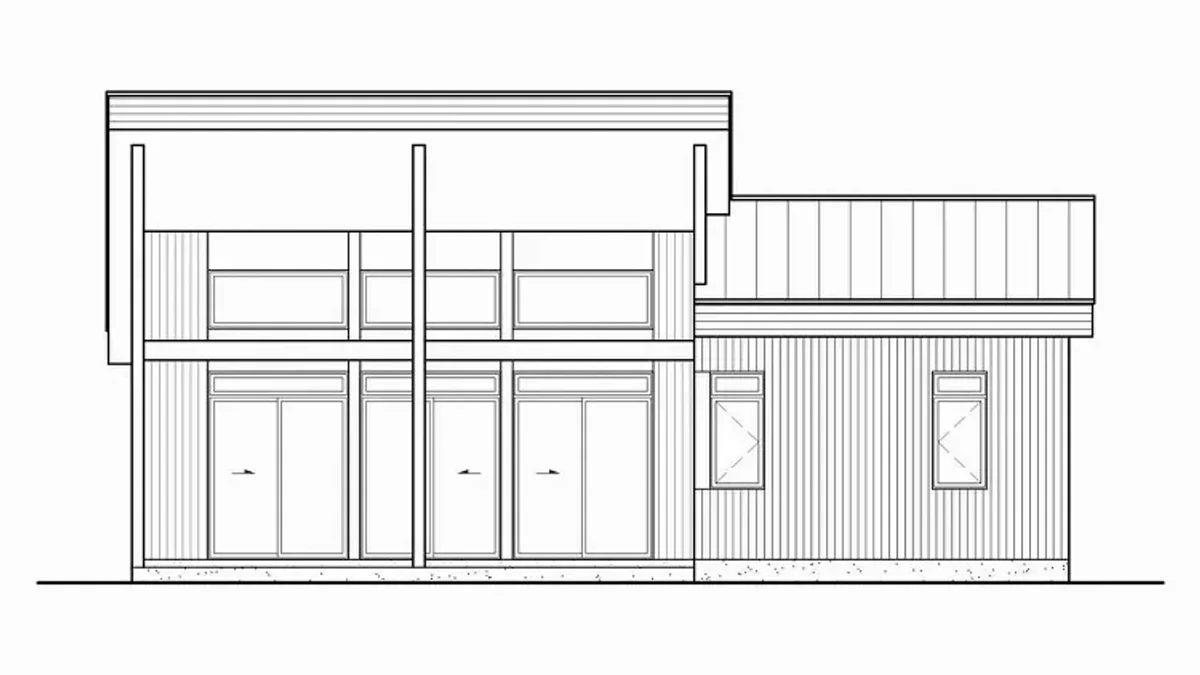
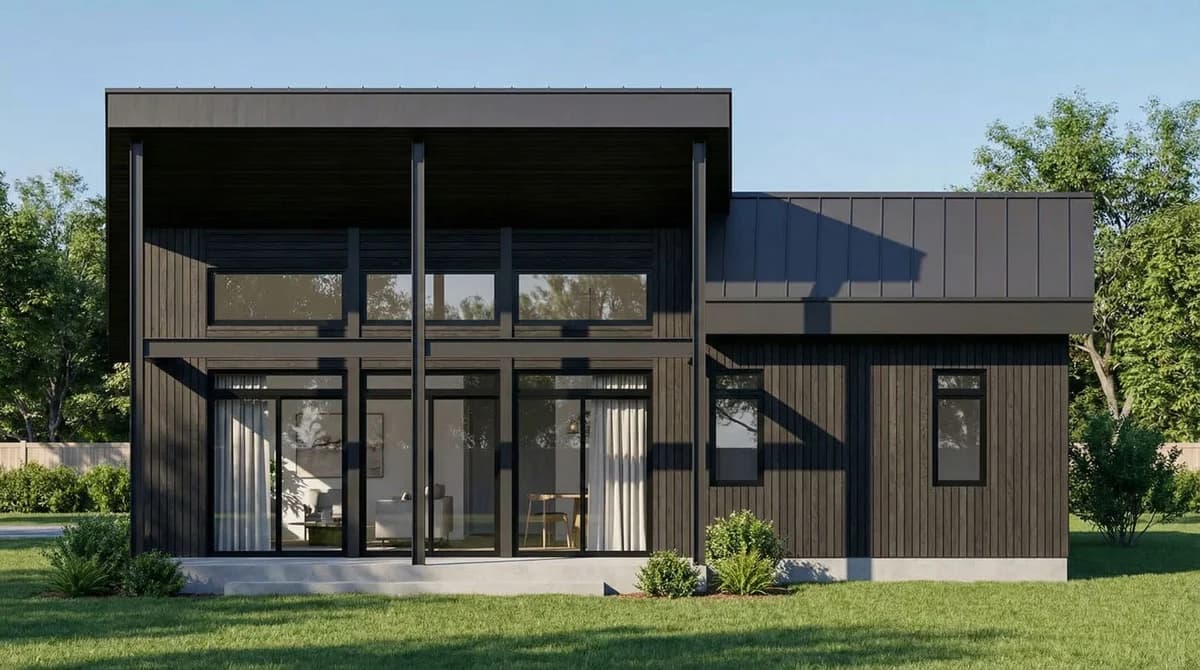
Elevation to render is the process of turning a flat, scaled architectural elevation drawing into a photorealistic exterior visual of the finished building. VividPlan does it straight from the drawing you already have — no 3D model, no BIM, no render farm — reading your elevation’s proportions, openings and rooflines and dressing them in real materials, light and surroundings. Unlike a generic prompt-to-image tool that reinvents the building on every run, VividPlan is purpose-built for architecture: it holds your linework and proportions and matches the real finishes you specify. Because it works from the drawing, the same elevation can be rendered as a daytime, dusk or night-time scene in about sixty seconds each.
From elevation drawing to photoreal render — straight from the page
Your elevation already carries everything that matters: storey heights, window and door positions, the roof pitch, the rhythm of the façade. VividPlan reads that linework and renders the building as it will actually stand, in brick, render, timber, stone or glass — holding those proportions instead of guessing at a new building. You skip the 3D model entirely and start from the drawing on your screen — sketch → sell, the same afternoon.
Day, dusk and night from one elevation
Selling a vision often comes down to atmosphere. Render the same elevation as a crisp daytime shot for the planning pack, a warm dusk frame with the windows glowing for the brochure, and a night scene to show how the lighting reads after dark. Because the tool is built to hold your geometry and materials, the building stays consistent across all three — only the light and the time of day change.
Direct the materials — it isn’t a slot machine
Brief the render the way you’d brief a draftsperson, not a slot machine. Mark the cladding and say charcoal standing-seam; drop a reference photo of the exact brick or stone you’ve specified, and VividPlan matches that real finish rather than its best guess. Only the part you marked changes, so a material you’ve already approved stays pixel-locked while you refine the rest of the façade.
Built for the people who draw elevations
Architects, building designers, builders and developers use elevation renders to win approvals, brief clients and pre-sell off the plan before a brick is laid. Because it’s built for architecture rather than general images, VividPlan keeps your façade faithful to the drawing. It accepts JPG, PNG and WebP, outputs high-resolution, print-ready images, and keeps your designs private to your account — we never sell them or make them public.
Upload your elevation
Drop in your elevation drawing as a JPG, PNG or WebP — a CAD export, a clean line drawing or a coloured presentation elevation all work.
Mark and brief it
Annotate the materials and finishes you’ve specified, and add a reference photo for any exact brick, render or cladding you want matched.
Pick your scene and time of day
Choose daylight, dusk or night, and set the surroundings — street, landscaping or context — to suit how the building will really sit.
Get your render in ~60 seconds
Download a photorealistic, client-ready exterior. Generate the day, dusk and night versions from the same elevation whenever you need them.
Questions, honestly answered.
Everything worth knowing before you try elevation to render.
Turn one drawing into a
client-ready render today.
Use 5 free renders to test your own sketch, floor plan, or elevation. No credit card required.