Rendering from a drawing vs traditional 3D rendering: an honest comparison
Both produce a photorealistic image. They get there completely differently — one through hours of modelling and a render farm, the other from a drawing you already have. Here’s where each one earns its place, and where VividPlan fits.
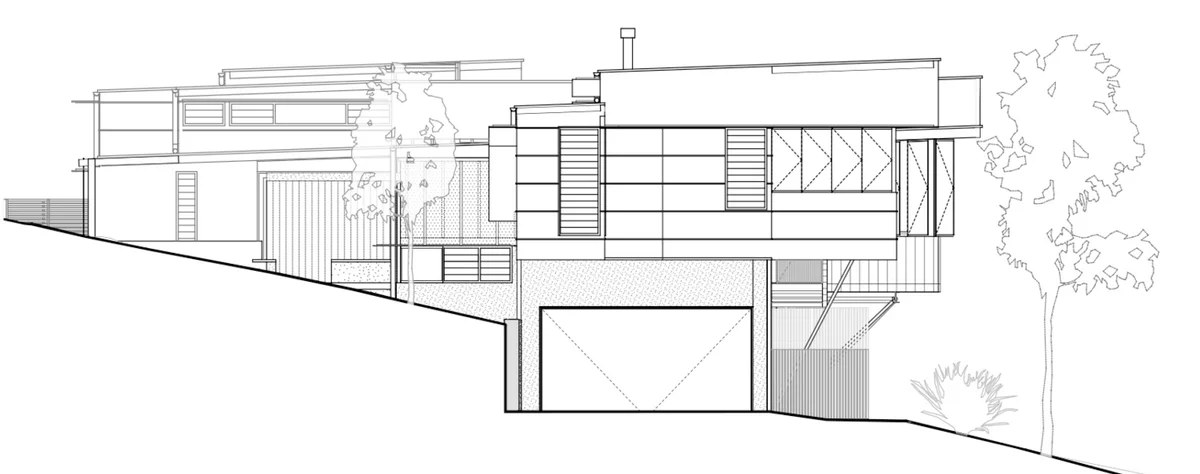
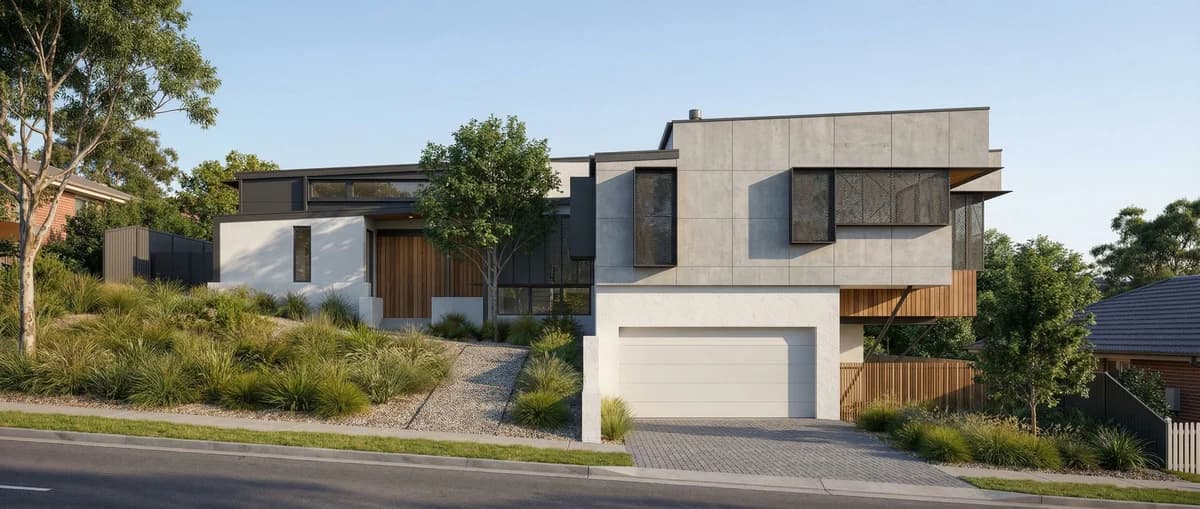
Both approaches produce photorealistic architectural images, but they take opposite routes. Traditional 3D rendering builds a geometrically accurate model in software like Lumion, Enscape, or Blender, then computes light, materials, and reflections — work that takes a trained operator hours and often a render farm. The newer category skips the model: you start from a drawing you already have — a sketch, elevation, or floor plan — and get a finished render in seconds. But not every tool in that category is the same. Unlike a generic prompt-to-image tool that reinvents the building on every run, VividPlan is purpose-built for architecture — it holds your geometry, proportions, linework, and materials across edits, and matches the real finishes you specify.
What this comparison changes in your day
Traditional 3D rendering is a production line: model the geometry, assign materials, light the scene, set the camera, run test renders, then send the final frame to a render farm and wait. VividPlan collapses that line. You upload the drawing you’d hand a draftsperson, describe the finish you want, and the render comes back the same afternoon — no modelling, no plugin, no farm. The wedge isn’t quality for its own sake; it’s that you skip the model entirely and still keep the building you drew.
Where traditional 3D rendering still wins
We’ll be straight with you: traditional 3D is still the right tool for construction-accurate work. If you need a BIM-linked model where every dimension is true, a flythrough or animation, a walkthrough a client can navigate, or frames you can guarantee to the millimetre for documentation, build the model. Rendering from a drawing interprets that drawing — it doesn’t hold construction tolerances, and it won’t move a camera through space.
Where VividPlan pulls ahead — and why it isn’t a generic image tool
For everything before the model — concept, client buy-in, options on a deadline — VividPlan is faster by an order of magnitude. The difference from a generic prompt-to-image tool matters here: VividPlan is built for architecture, so it holds your linework, proportions, and materials instead of redrawing the building every run. Mark a region and only that part changes — you direct the render the way you’d brief a draftsperson rather than spin a slot machine. Match a real reference finish to keep a set on-brand, and explore five material directions in the time a single traditional frame would still be queued on the farm.
Most studios use both — and that’s the honest answer
The realistic workflow in 2026 isn’t either/or. Teams reach for a fast render to win the concept and pitch quickly, then move into traditional 3D for design development and construction-accurate deliverables. VividPlan is built for that front half — the sketch-to-sell stretch — so you’re not firing up a render farm to find out whether a client likes the brick.
Upload the drawing you already have
Drop in a sketch, elevation, or floor plan as a JPG, PNG, or WebP. No model, no BIM file, no plugin export needed.
Brief the render
Describe the materials, light, and setting the way you’d brief a draftsperson — or attach a reference image so VividPlan matches the exact finish.
Get a render in ~60 seconds
VividPlan returns a high-resolution, print-ready render — no render farm queue, no waiting room — with your geometry and proportions held intact.
Direct the changes you want
Mark a single region and only that part re-renders, so you refine the image instead of rolling the dice on a whole new one.
TraditionalA 3D model you build from scratch in BIM or modelling software.
VividPlanA drawing you already have — sketch, elevation, or floor plan.
TraditionalHours of modelling and a trained operator for every image.
VividPlanSeconds, from a drawing you already have. No modelling, no render farm.
TraditionalA trained operator, a render farm, and a plugin you’ll never fully learn.
VividPlanUpload, brief it, done. Four steps — that’s the whole tool.
TraditionalRe-model, re-light, and re-queue the whole frame.
VividPlanMark a region and only the part you marked changes; the rest stays pixel-locked.
TraditionalDimension-true, BIM-linked geometry you can document and build from.
VividPlanInterprets a drawing for the pitch — not for construction tolerances.
TraditionalFlythroughs, navigable walkthroughs, and animated sequences.
VividPlanStill images that sell the vision — no camera moves or animation.
Questions, honestly answered.
Everything worth knowing before you try rendering vs traditional 3d.
Turn one drawing into a
client-ready render today.
Use 5 free renders to test your own sketch, floor plan, or elevation. No credit card required.