Sketch to render — a photorealistic image from the drawing you already have.
Upload a rough concept sketch, a napkin idea, or a freehand elevation and get a photorealistic architectural render your client can believe in — the same afternoon, with no 3D modelling at all.
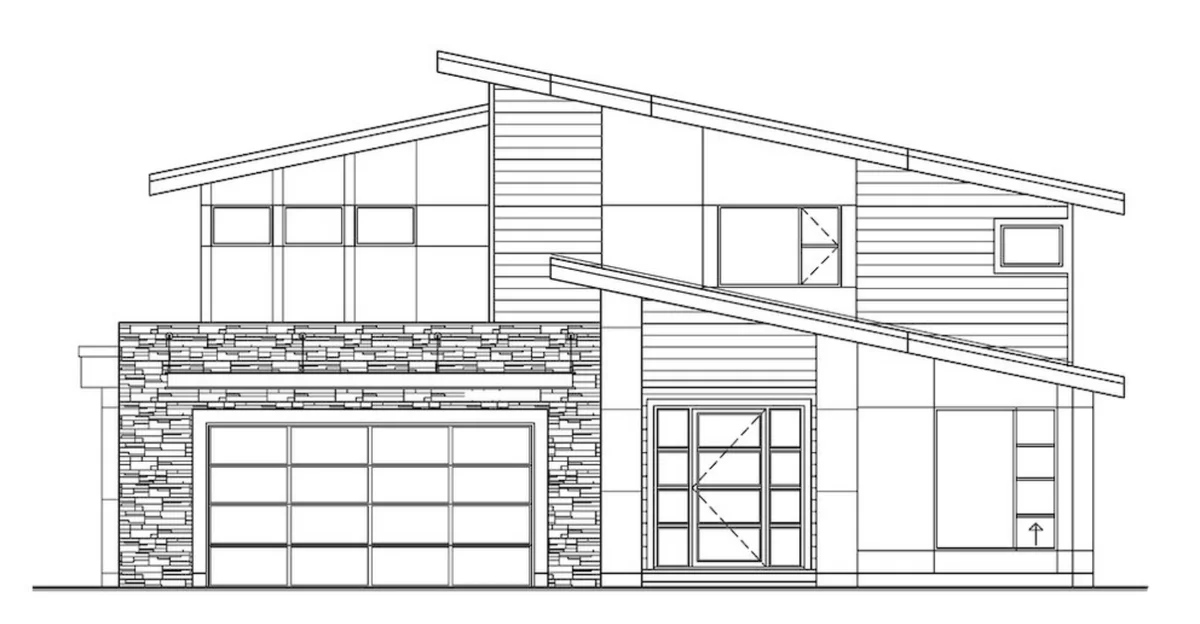
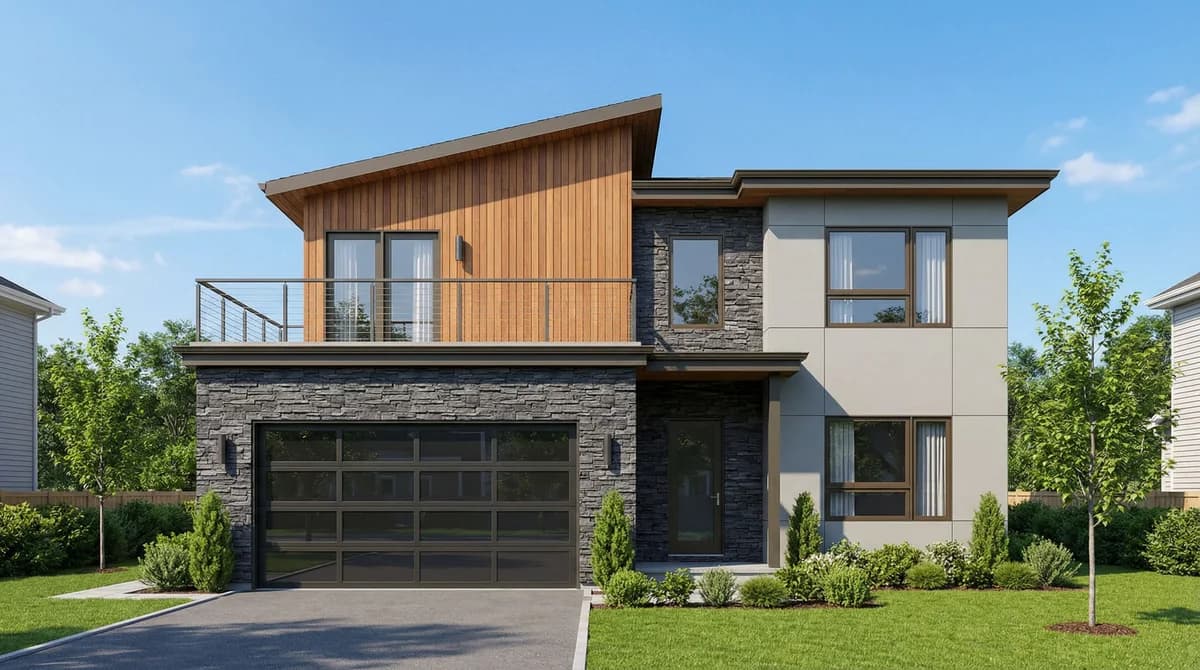
Sketch to render is the process of turning a rough, hand-drawn concept drawing into a photorealistic image of the finished building, without first building a 3D model. VividPlan is built for architecture, so it does this differently from a generic prompt-to-image tool: you upload a sketch as a JPG, PNG, or WebP, describe the look you want, and the render comes back in about sixty seconds — holding your linework, proportions, and design intent intact while adding realistic materials, lighting, and surroundings.
Why sketch to render beats the modelling route
The old path from a sketch to a render meant rebuilding the whole concept in 3D, assigning materials, and waiting on a render farm — hours of work and a trained operator for every image. VividPlan skips all of it. You start from the drawing in front of you, so a loose idea becomes a presentable render the same afternoon you sketched it.
From napkin to render — the rougher, the better
Freehand perspective, a quick pencil elevation, a marker concept, a photo of a whiteboard — if it reads as a building, VividPlan can render it. Unlike a generic prompt-to-image tool that reinvents the building every run, it is built for architecture: it holds the geometry you drew rather than overwriting it, so the proportions and intent you cared about survive into the photorealistic result. The looser your sketch, the more time you save versus modelling it from scratch.
Direct the render — it isn’t a slot machine
VividPlan isn’t a one-shot generator you keep re-rolling. Brief it the way you’d brief a draftsperson: warm timber cladding, a low afternoon sun, a planted streetscape. Mark a region and only the part you marked changes — the rest stays pixel-locked — so you refine toward the image you had in your head instead of starting over. And when you specify a finish, it matches the real reference you upload, not its best guess.
Client-ready output, kept private to you
Every render comes back at high-resolution, print-ready quality — ready for a pitch deck, a planning submission, or a listing. Your sketches and renders stay private to your account; we never sell them or make them public. JPG and PNG go in and out, so the result drops straight into the tools you already use.
Upload your sketch
Drag in a JPG, PNG, or WebP of your hand-drawn sketch, concept drawing, or freehand elevation. A phone photo of a paper sketch is fine.
Brief the look
Tell VividPlan the materials, time of day, and setting you’re after — the way you’d brief a draftsperson — so the render matches the vision in your head.
Render in ~60 seconds
VividPlan reads your linework and returns a photorealistic render that holds your proportions and design intent intact.
Refine and share
Mark any region to change just that part while the rest stays locked, then export a high-resolution, print-ready image for your client, pitch, or listing.
Questions, honestly answered.
Everything worth knowing before you try sketch to render.
Turn one drawing into a
client-ready render today.
Use 5 free renders to test your own sketch, floor plan, or elevation. No credit card required.