Floor plan to render: furnished, photorealistic interiors from a flat plan.
Upload a 2D floor plan and get a furnished, photorealistic interior your buyer or design client can picture themselves living in — the same afternoon, no 3D modelling.
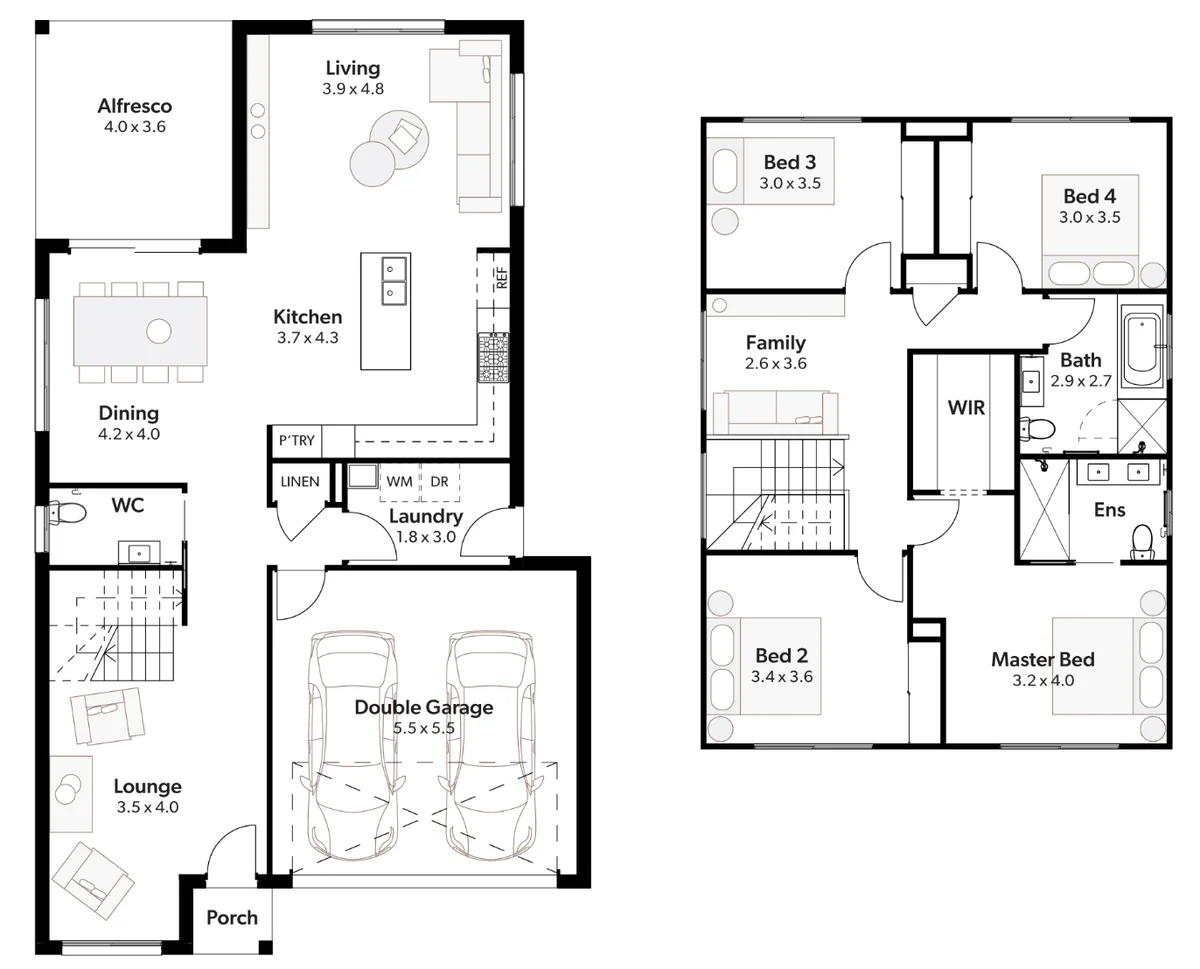
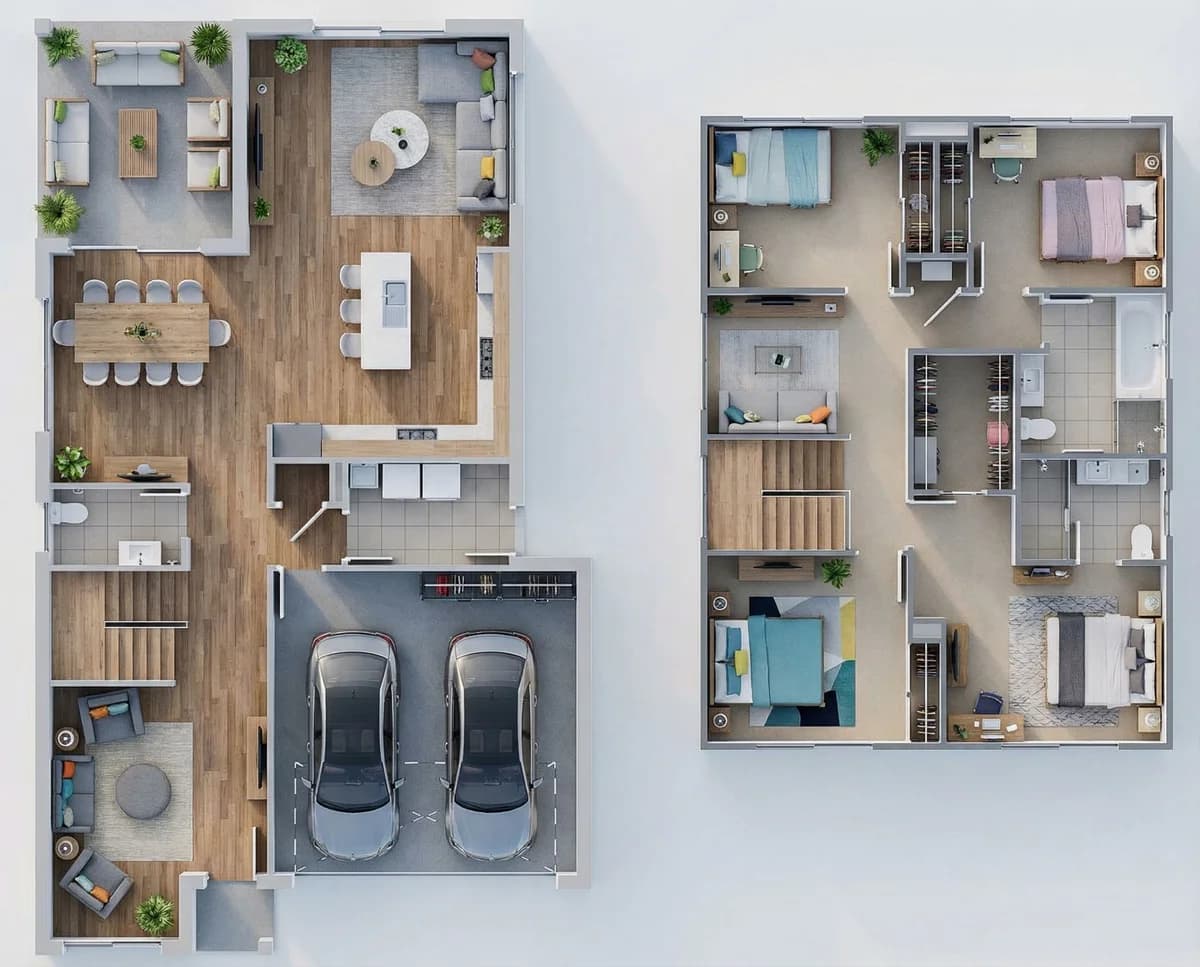
Floor plan to render is the process of turning a flat 2D floor plan into a furnished, photorealistic interior image. Unlike a generic prompt-to-image tool that reinvents the space every run, VividPlan is built for architecture — it reads the rooms, walls, and layout in your plan and holds that geometry while it dresses the space in flooring, furniture, and light. The result is a styled, lifelike visual you can put on a listing or in a client presentation: a photoreal picture of the room, not a navigable 3D model or a CAD file.
What floor plan to render actually gives you
You give VividPlan the drawing you already have — a 2D floor plan as a JPG, PNG, or WebP — and you get back a furnished room you can show a client. The tool reads the layout and fills it in with realistic flooring, furniture, and daylight, so the empty rectangle of a plan becomes a space someone can imagine standing in. It is a still image at client-ready resolution, made to sell the feeling of the room, not a model to walk through.
Built for property listings and interior staging
A flat floor plan tells a buyer where the walls are. A furnished render tells them what it would be like to live there — and that is the difference that holds attention on a listing. Stage an empty unit, dress a renovation before a single wall moves, or show an interior client three directions for the same room. You start from the plan in your hand, so there is no modelling and no render farm between you and the picture.
Purpose-built for architecture, not a generic image toy
This is the difference worth being clear about. A generic prompt-to-image tool guesses at a pretty room and quietly moves your walls; VividPlan is built for architecture, so it holds your layout, proportions, and room sizes across edits. Drop in a reference photo of the exact flooring, cabinetry, or finish you have specified and it matches that real material rather than its best guess. And it stays a photorealistic image, not a 3D model you can spin or step inside — no BIM, no plugin to learn, nothing to navigate.
Direct the room — it isn’t a slot machine
VividPlan isn’t a slot machine. Brief the render the way you would brief a draftsperson — mark a room, ask for warmer flooring or a different sofa, and only the part you marked changes while the rest of the plan stays pixel-locked. Your designs stay private to your account — we never sell them or make them public. The result is a furnished interior you can stand behind, refined the way you want it rather than re-rolled until you get lucky.
Upload your floor plan
Drag in a 2D floor plan as a JPG, PNG, or WebP — the plan you already drew or exported, no new file format required.
Pick the room and the style
Tell VividPlan which space you are furnishing and the look you are after, from a clean modern listing to a warmer residential feel — and add a reference photo of any exact finish you want matched.
Render in ~60 seconds
VividPlan reads the layout, holds your room sizes and proportions, and returns a furnished, photorealistic interior — flooring, furniture, and light already in place.
Refine and use it
Mark anything you want changed and only that part updates, then download a client-ready image for the listing or presentation.
Questions, honestly answered.
Everything worth knowing before you try floor plan to render.
Turn one drawing into a
client-ready render today.
Use 5 free renders to test your own sketch, floor plan, or elevation. No credit card required.